Size & leverage
Set position limits before the session. Get friction when a trade risks more than you planned.
A live coach for your trading desk. Catch oversized positions, slow down impulsive entries, and put your own rules between you and the next click.
Works alongside your trading platform
Free guardrails. Optional AI coaching. Extension installation guide
Your rules step in before the next click.
Guardrails where you already trade
A trading plan only helps if it survives the moment you want to break it. TradeGuard brings that plan onto the page.
Choose size limits, a daily loss cap, cooldowns and re-entry rules while you are calm.
The installed extension reads supported page data. Open the sidebar for a live coach, token checks and a second look at your thesis.
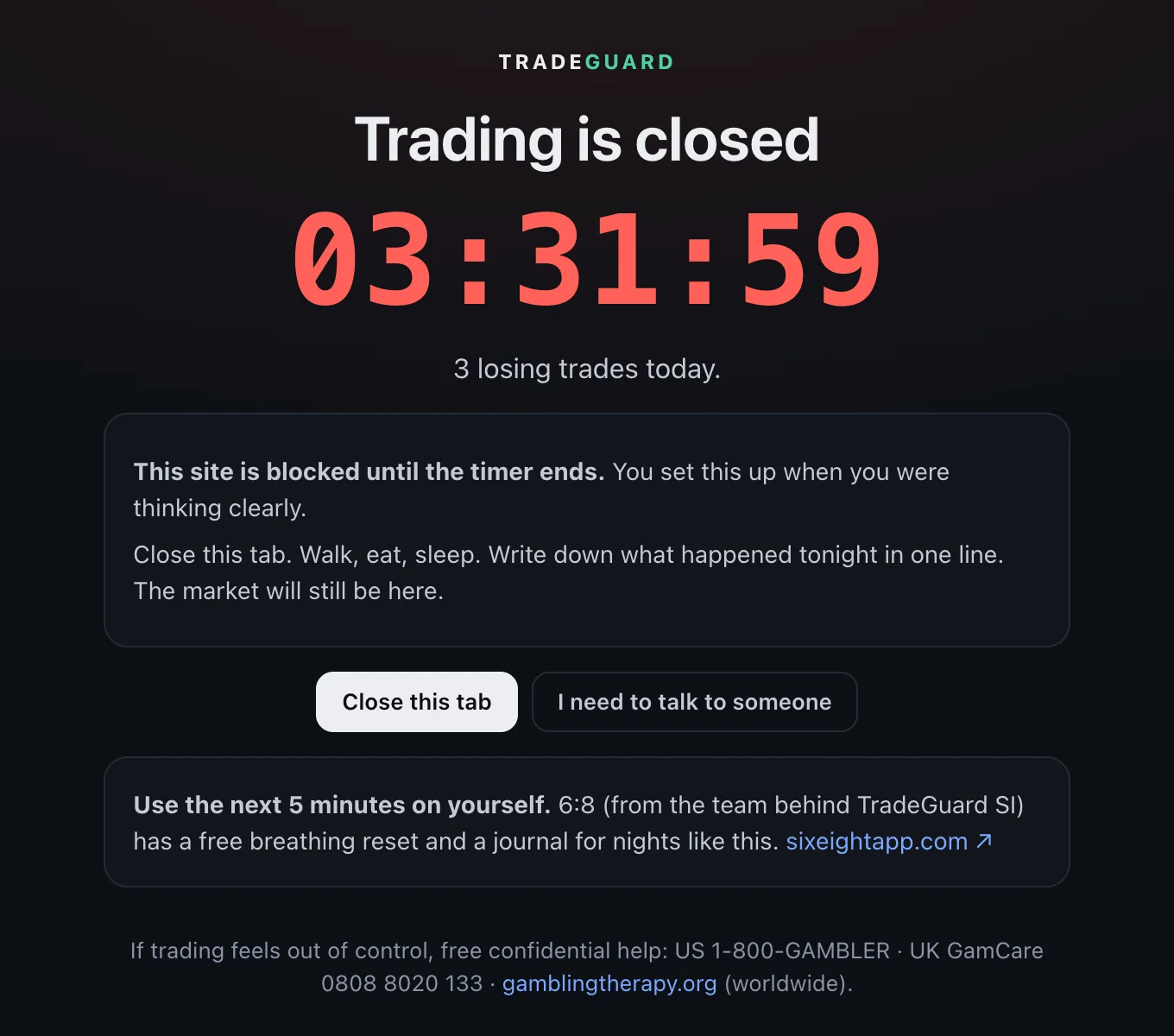
Warnings, checklists, typed confirmations and lockouts add friction when your own rules are crossed.
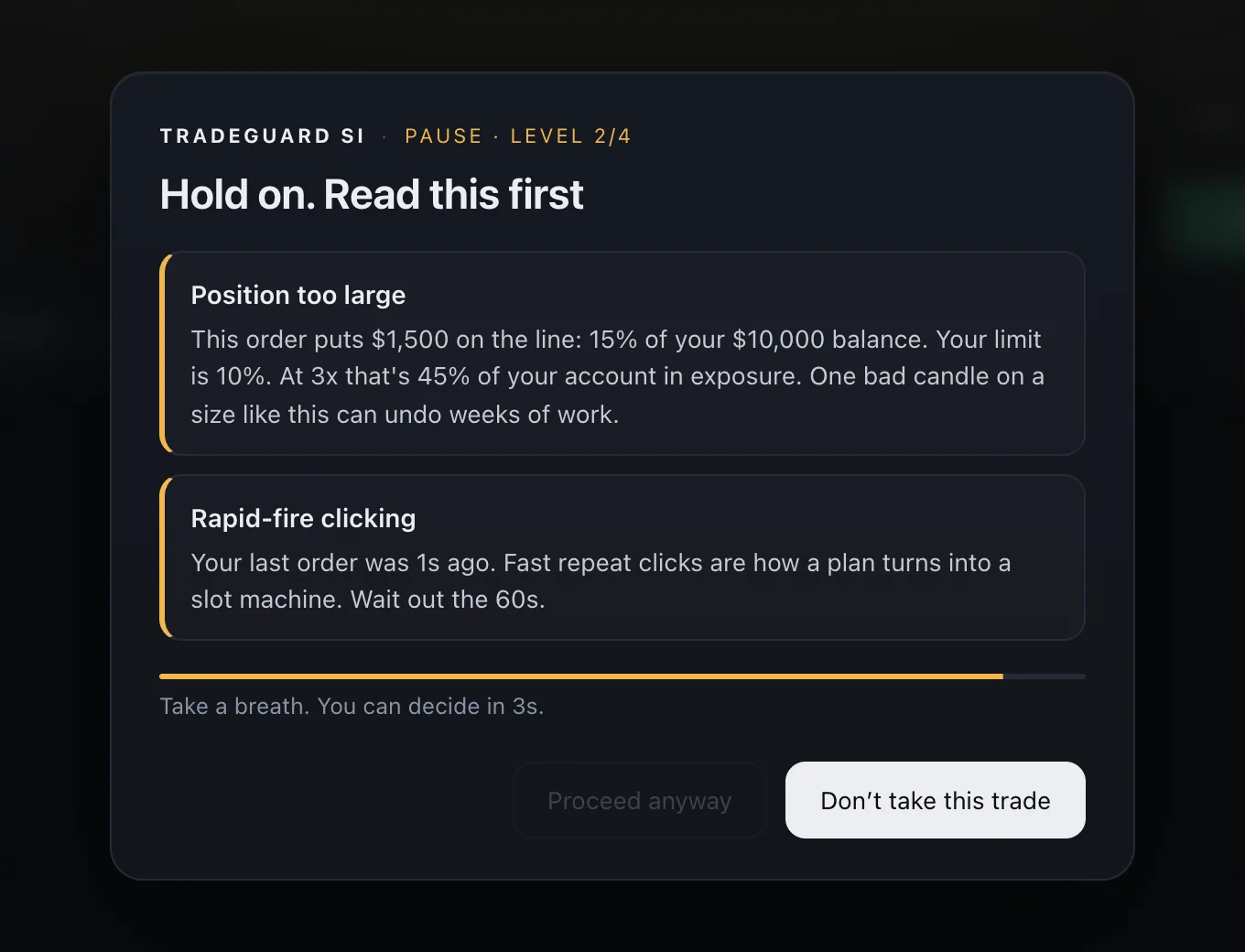
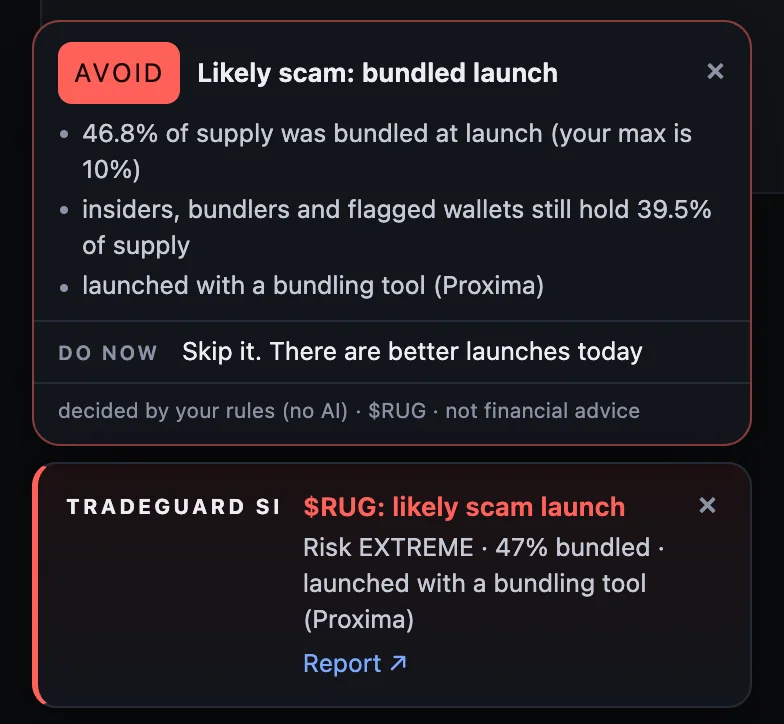
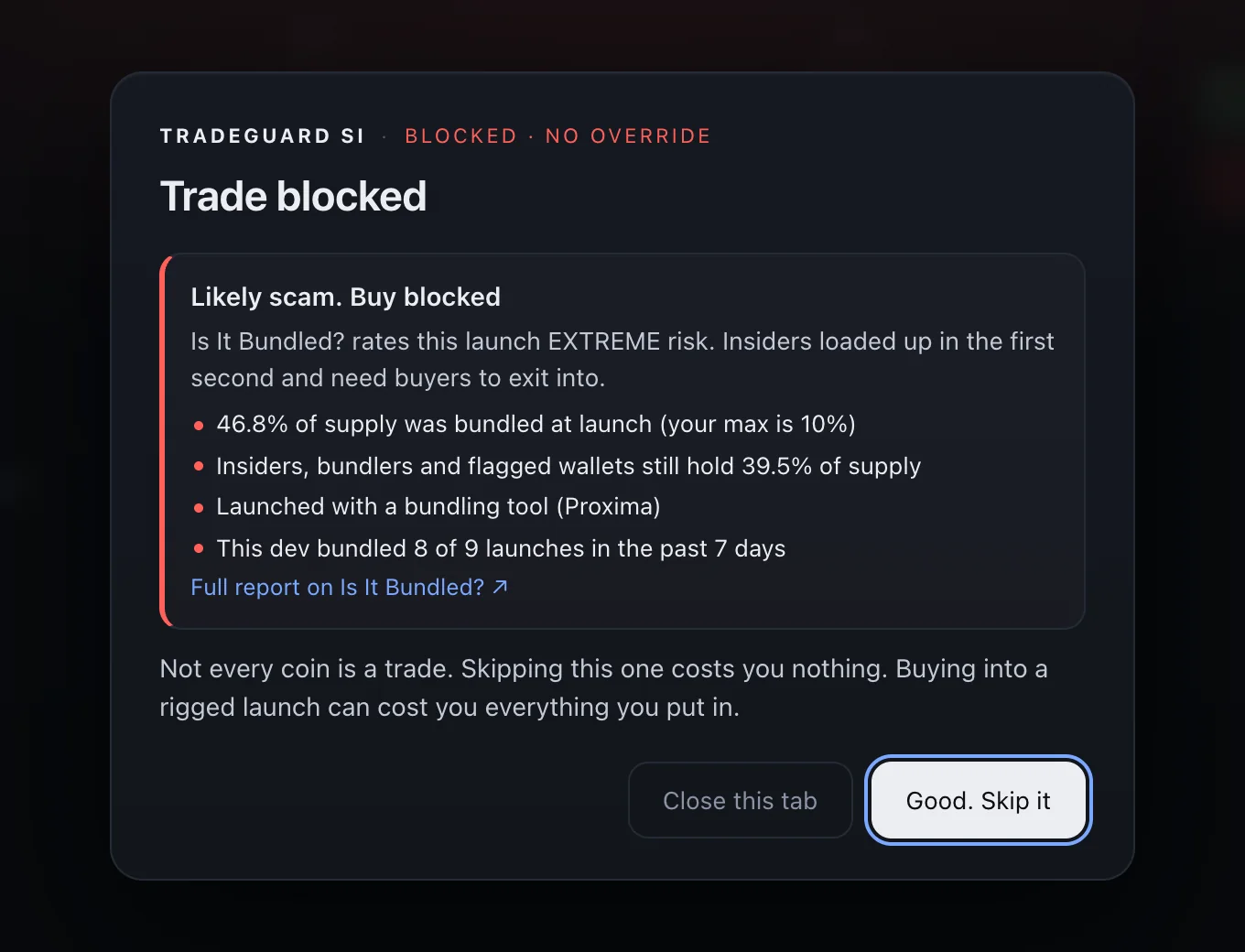
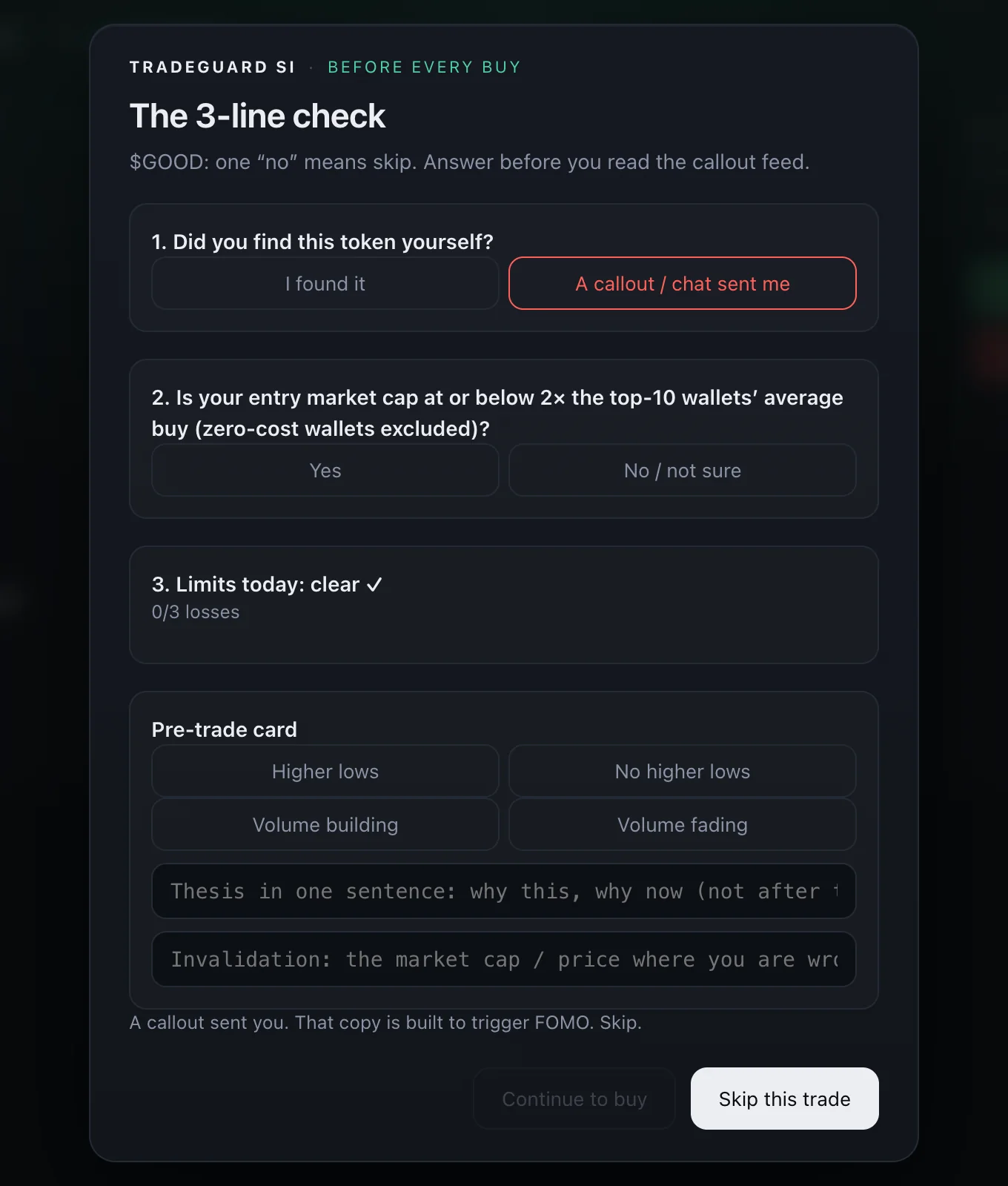
Real screens from the extension, step by step. Each one appears on the trading site itself, the moment it matters.
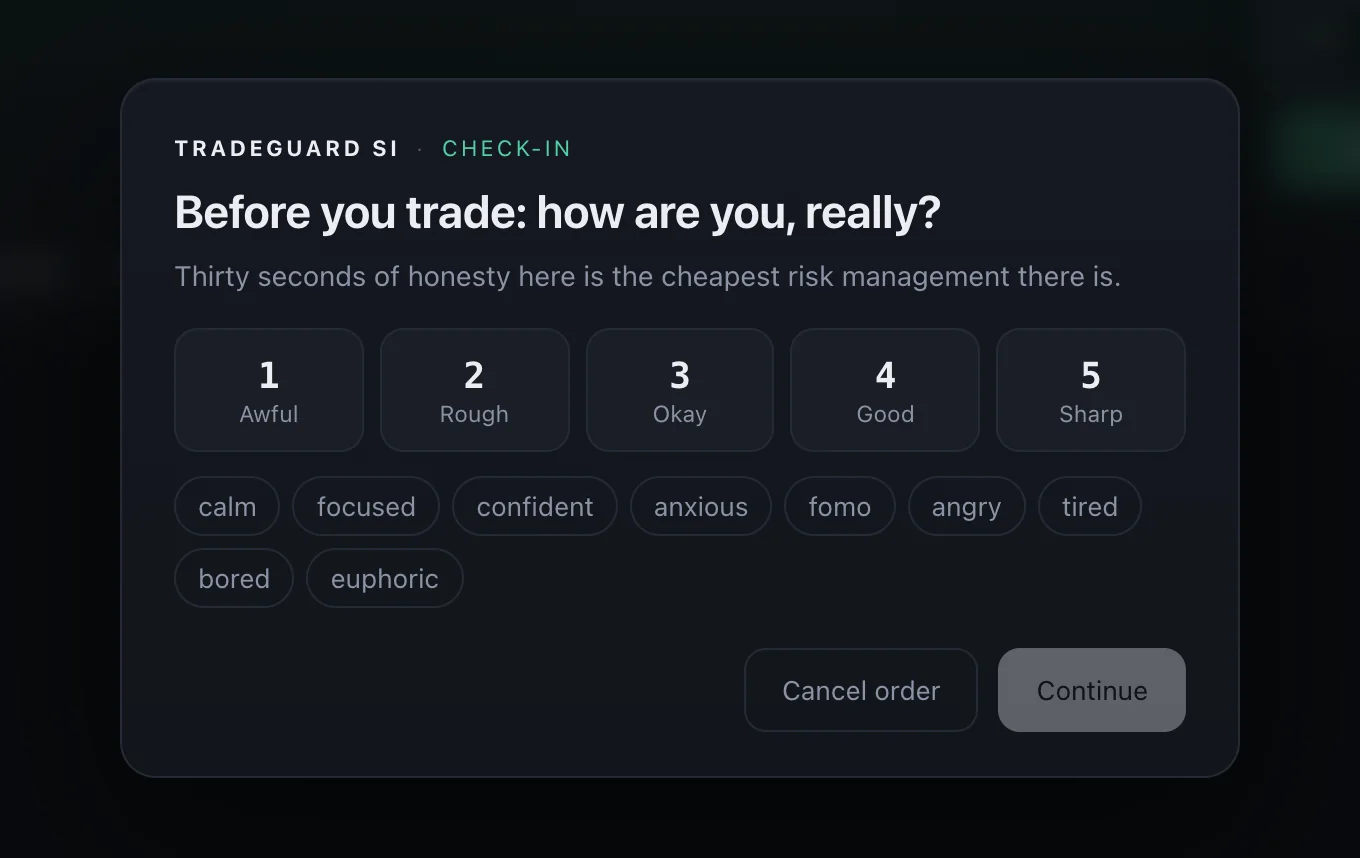
Rate how you feel in ten seconds. Angry, tired or chasing? Your size limits tighten automatically.
The core protections are free. AI can help explain a decision; the local rule engine enforces the limits you set.
Set position limits before the session. Get friction when a trade risks more than you planned.
Slow down rapid entries, size escalation and buying back after a stop-out.
Pause entries when recorded losses reach your cap. Choose a site block to make the break harder to ignore.
Check in with yourself, recognise chasing patterns, and take a cooldown after a loss or a big win.
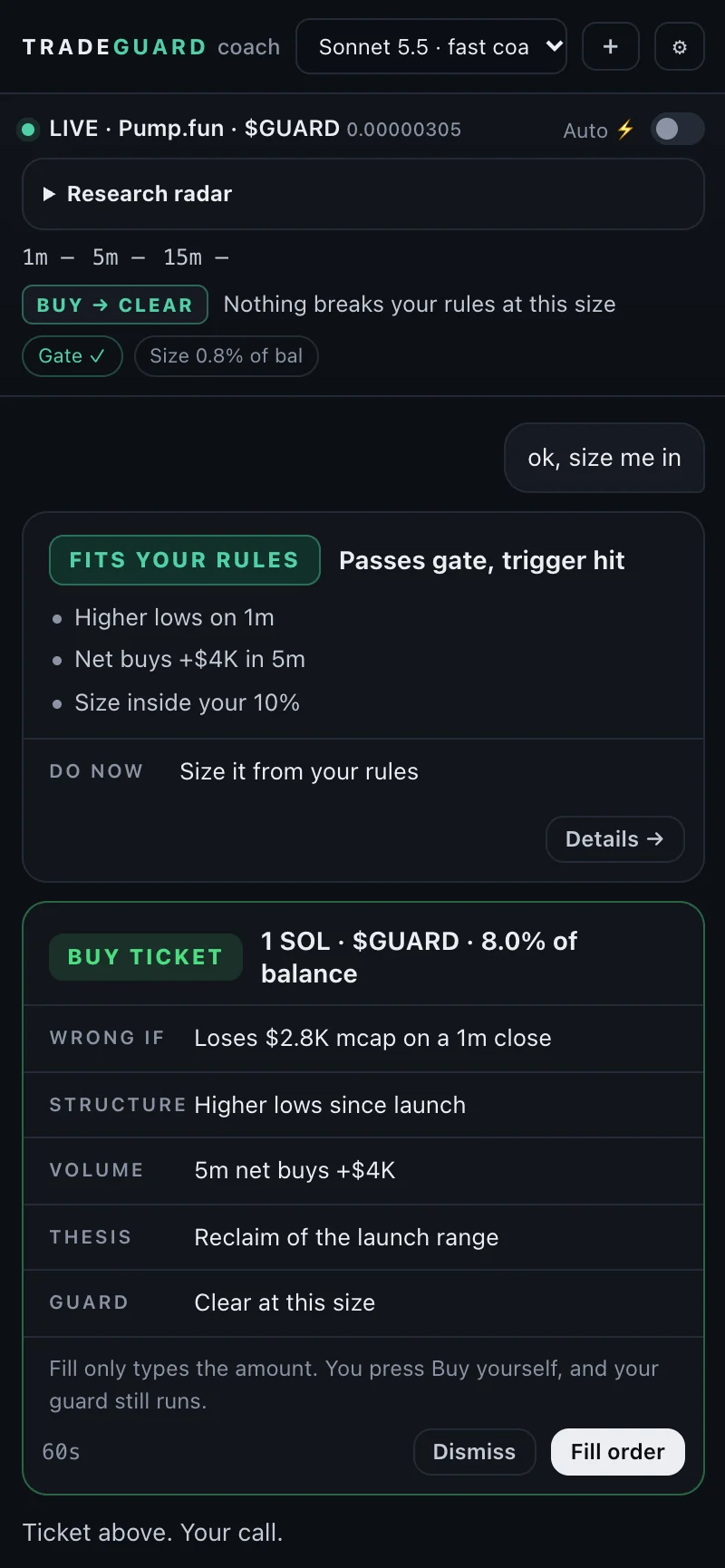
Ask about the setup in front of you, review your session, or get a concise risk check without switching tabs.
Token checks combine available market and bundle data with your rules. They flag risk signals; they cannot certify a token is safe.
After a fits-your-rules verdict, the coach can draft a buy ticket: size, share of balance and where the idea is wrong. Fill order types the amount into Pump.fun, Axiom or Fomo. You still press Buy, and your guard still runs.
After your limit is reached, take a real break. Use self-exclusion, delayed rule changes, a note to your future self and mood check-ins to make it easier to stop.
If trading starts to feel compulsive, the extension offers a support page with regional gambling resources. Your wellbeing should never depend on upgrading.
Find independent gambling supportAll guardrails are included in Free. Paid plans add hosted AI, Telegram coaching and account sync.
Every guardrail, on your machine.
Start freeThe coach, hosted, everywhere you trade.
Choose ProFor traders who live in the terminal.
Choose UltraFive times Pro’s coaching quota.
Choose MaxBring your own key on any plan. Provider charges are separate from your prepaid plan. Pay with crypto for 30 days of access; renew manually. Hosted AI has monthly message and fair-use limits. Long conversations or deep reviews may reach the fair-use limit before the message quota. Allowances reset each calendar month.
No. TradeGuard SI does not place, change or cancel orders, hold your funds, or ask for a wallet seed phrase. On the Max plan, the optional Trade Copilot can type a suggested amount into the order form after a fits-your-rules verdict. You review it and press Buy yourself, and your guard still runs.
A short tour opens and walks through the check-in, pauses, token checks, the 3-line check, the coach and lockouts, then lands on Settings so you can set your limits. You can replay it from the extension popup.
The extension includes adapters for Axiom, Fomo, Pump.fun, Photon, GMGN, BullX, Binance, Bybit, OKX, Coinbase, Kraken, Hyperliquid, Jupiter, Polymarket, Kalshi and others. Detection depends on the page and can change when a venue updates its interface. Verify your rules before relying on them.
Yes. Every plan supports Anthropic, OpenRouter and OpenCode Zen keys. You choose the provider and model in the extension. Provider usage is billed separately; models differ in tool and chart support.
A browser extension cannot prevent you from disabling it, using another browser, or trading elsewhere. Commitment settings, delayed rule changes and site blocks add friction; they are not a guarantee.
Local guardrails and mood records run on your device. Using AI sends the context needed for a check to your selected provider. Linking an account enables optional cloud sync. Read the privacy policy for the full data flow.
Neither. TradeGuard SI is a discipline tool. It can point you toward gambling support when patterns suggest you need a break. It cannot diagnose addiction, guarantee returns, or replace qualified help.
TradeGuard SI on Solana · $GUARD
?$GUARD on Pump.fun · address posted at launchAlways verify the mint address before interacting with a token. TradeGuard SI does not promise token value or investment returns.
Set your limits before the next session.